|
|
||
|---|---|---|
| .github | ||
| format | ||
| .goreleaser.yml | ||
| .travis.yml | ||
| formater.go | ||
| gitmux.go | ||
| go.mod | ||
| go.sum | ||
| LICENSE | ||
| README.md | ||


Gitmux shows git status in your tmux status bar


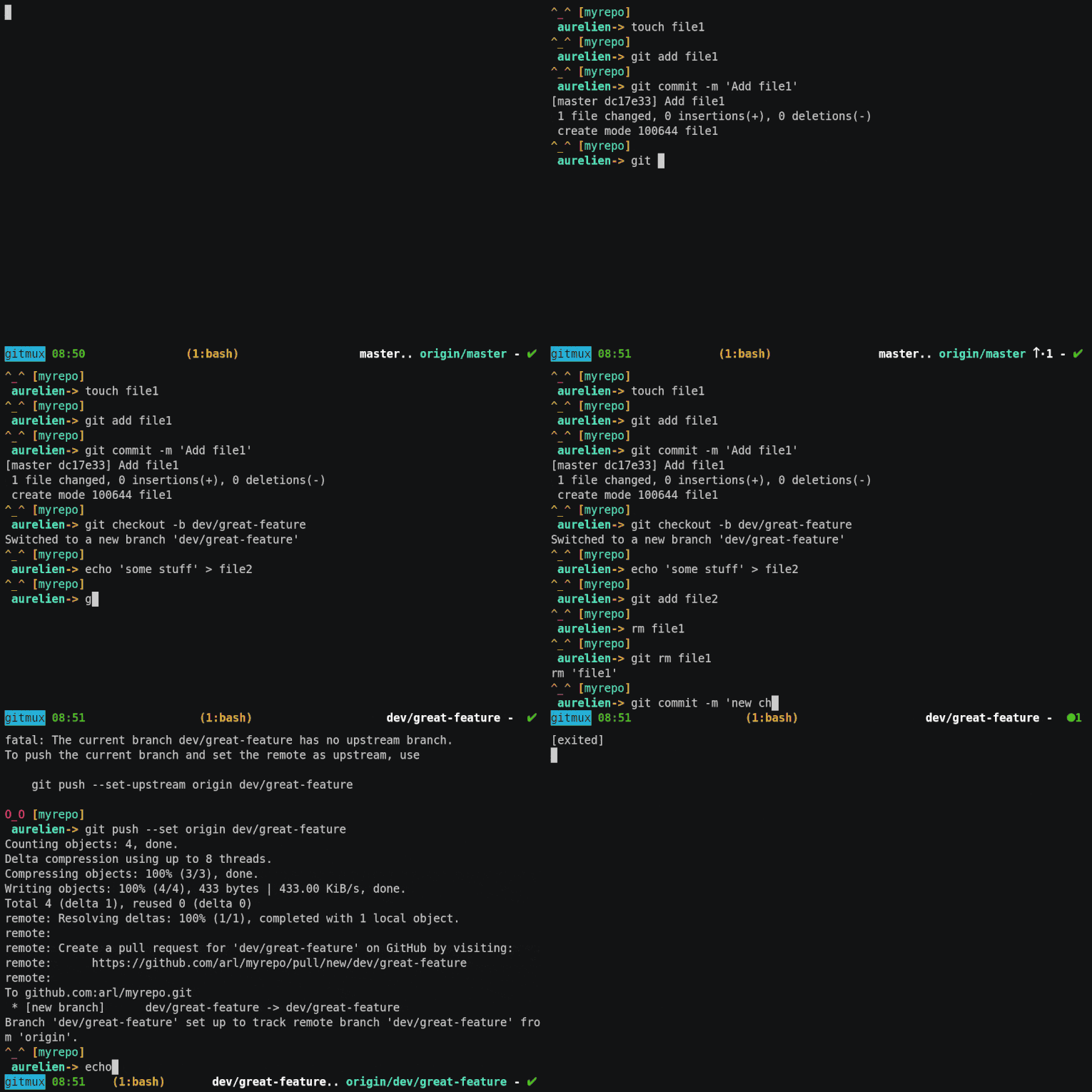
- easy. Install it once and forget about it
- minimal. Only show what you need when you need it
- discrete. Disappear when current directory is not managed by Git
- shell-independent. Work with sh, bash, zsh, fish, etc.
- highly configurable. Colors and symbols can be customized
- automatic. Information auto-updates with respect to the current working directory
Prerequisites
Works with all tmux versions.
Installing
Binary release
Download the latest binary for your platform/architecture and uncompress it.
From source
Download and install a Go compiler (Go 1.10 or later).
Run go get to build and install gitmux:
go get -u github.com/arl/gitmux
Getting started
Add this line to your .tmux.conf:
set -g status-right '#(gitmux #{pane_current_path})'
Customizing
gitmux output can be customized via a configuration file in YAML format.
First, save the default configuration to a new file
gitmux -printcfg > .gitmux.conf
Open .gitmux.conf and modify it, replacing symbols and colors to suit your needs.
Ensure the file is valid by adding the -dbg flag
gitmux -dbg -cfg .gitmux.conf
Modify the line in .tmux.conf, passing the path of the configuration file as argument to gitmux
gitmux -cfg .gitmux.conf
gitmux configuration is split into 2 sections:
- symbols: they are just strings of unicode characters
- styles: they are tmux format strings (
man tmuxfor reference)
Troubleshooting
Please report anything by filing an issue.
Contributing
Pull requests are welcome. For major changes, please open an issue first to discuss what you would like to change.