💤 forgit
Utility tool for using git interactively. Powered by junegunn/fzf.






This tool is designed to help you use git more efficiently.
It's **lightweight** and **easy to use**.
### 📥 Installation
*Make sure you have [`fzf`](https://github.com/junegunn/fzf) installed.*
``` zsh
# for zplug
zplug 'wfxr/forgit'
# for zgen
zgen load 'wfxr/forgit'
# for antigen
antigen bundle 'wfxr/forgit'
# for fisher
fisher install wfxr/forgit
# for omf
omf install https://github.com/wfxr/forgit
# for zinit
zinit load wfxr/forgit
# manually
# Clone the repository and source it in your shell's rc file.
```
You can run the following command to try `forgit` without installing:
``` bash
# for bash / zsh
source <(curl -sSL git.io/forgit)
# for fish
source (curl -sSL git.io/forgit-fish | psub)
```
### 📝 Features
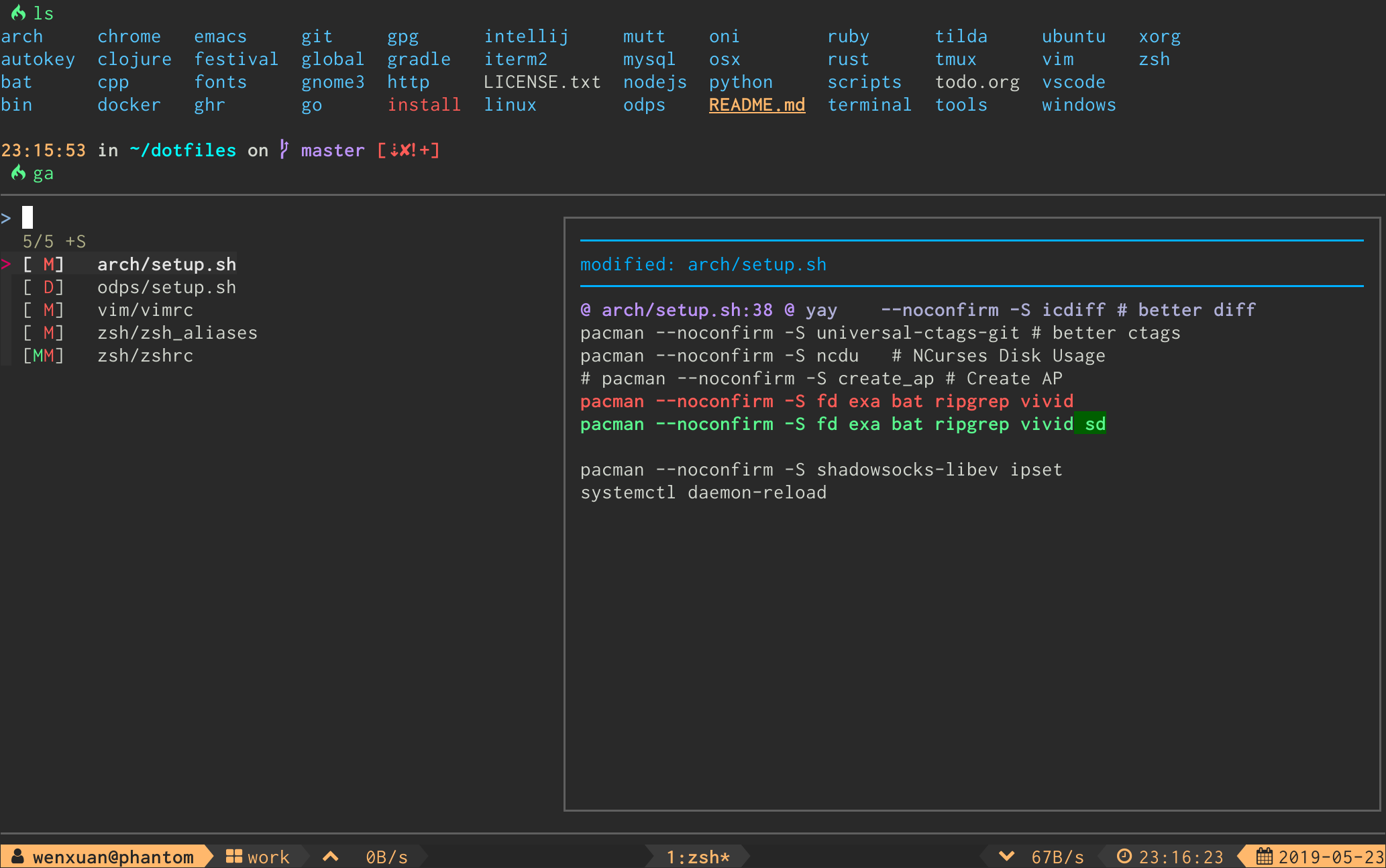
- **Interactive `git add` selector** (`ga`)
- **Interactive `git log` viewer** (`glo`)
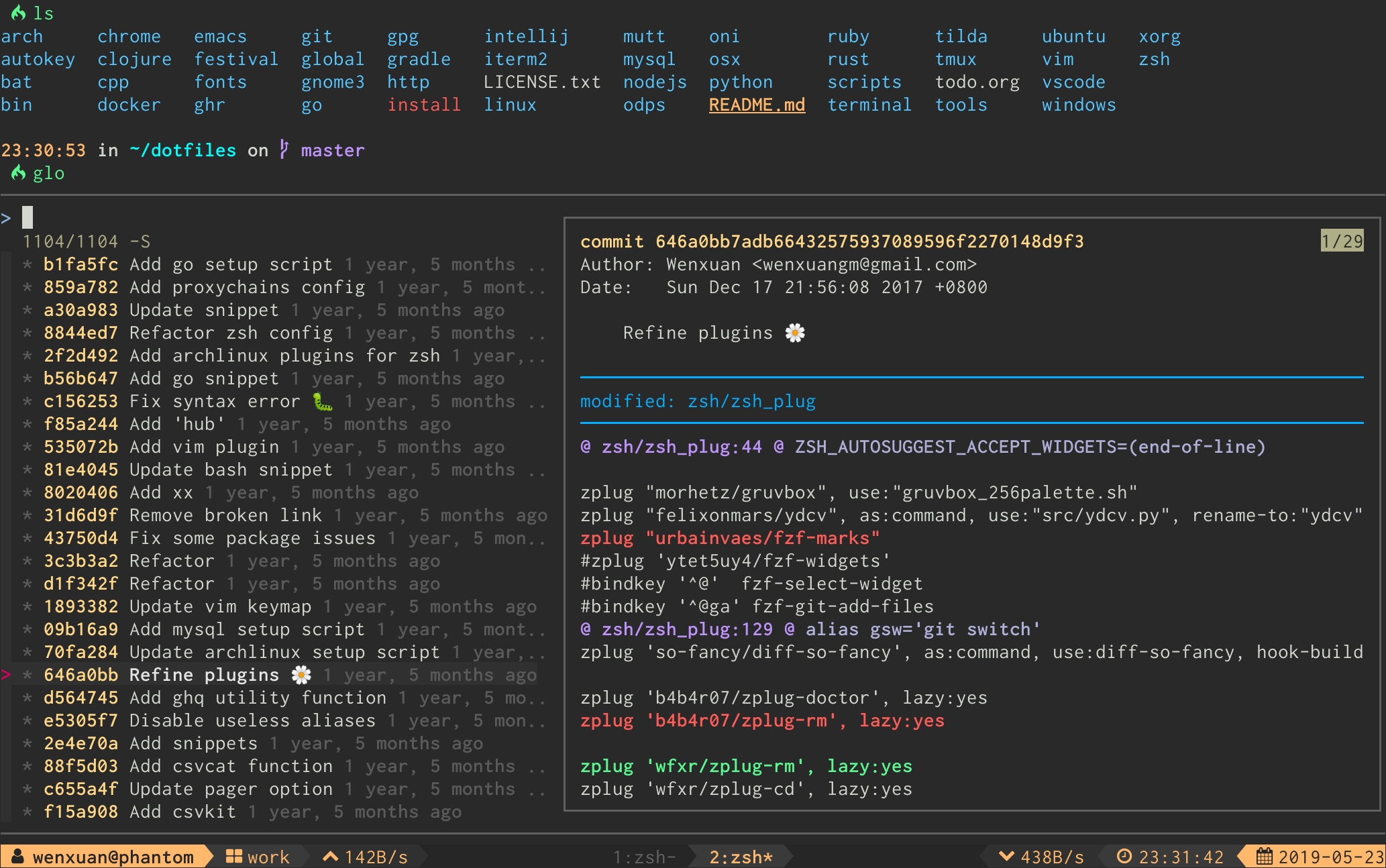
*The log graph can be disabled by option `FORGIT_LOG_GRAPH_ENABLE` (see discuss in [issue #71](https://github.com/wfxr/forgit/issues/71)).*
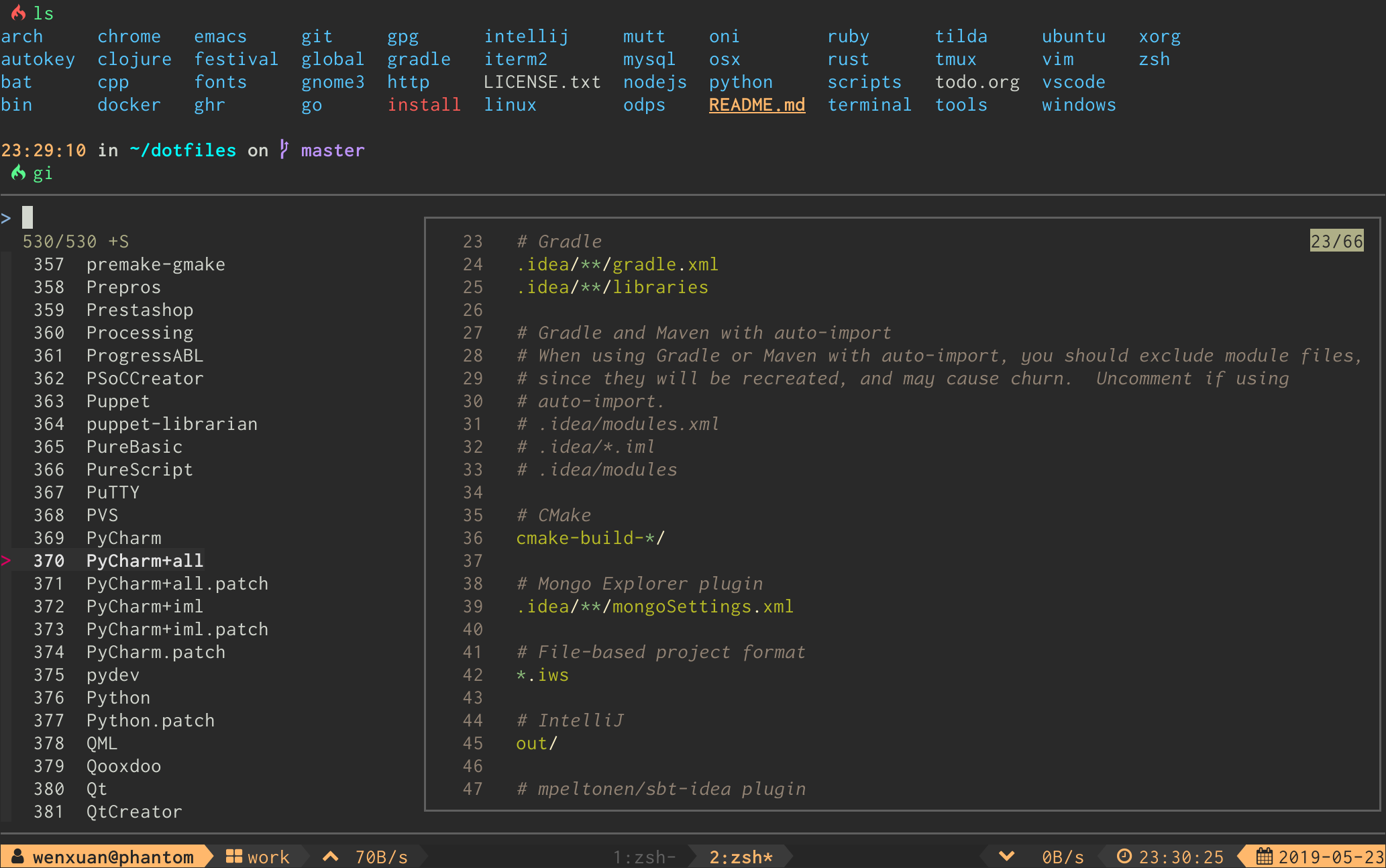
- **Interactive `.gitignore` generator** (`gi`)
- **Interactive `git diff` viewer** (`gd`)
- **Interactive `git reset HEAD ` selector** (`grh`)
- **Interactive `git checkout ` selector** (`gcf`)
- **Interactive `git checkout ` selector** (`gcb`)
- **Interactive `git checkout ` selector** (`gco`)
- **Interactive `git stash` viewer** (`gss`)
- **Interactive `git clean` selector** (`gclean`)
- **Interactive `git cherry-pick` selector** (`gcp`)
- **Interactive `git rebase -i` selector** (`grb`)
- **Interactive `git commit --fixup && git rebase -i --autosquash` selector** (`gfu`)
### ⌨ Keybinds
| Key | Action |
| :-------------------------------------------: | ------------------------- |
| Enter | Confirm |
| Tab | Toggle mark and move up |
| Shift - Tab | Toggle mark and move down |
| ? | Toggle preview window |
| Alt - W | Toggle preview wrap |
| Ctrl - S | Toggle sort |
| Ctrl - R | Toggle selection |
| Ctrl - Y | Copy commit hash* |
| Ctrl - K / P | Selection move up |
| Ctrl - J / N | Selection move down |
| Alt - K / P | Preview move up |
| Alt - J / N | Preview move down |
\* Available when the selection contains a commit hash.
For linux users `FORGIT_COPY_CMD` should be set to make copy work. Example: `FORGIT_COPY_CMD='xclip -selection clipboard'`.
### ⚙ Options
#### aliases
##### shell
You can change the default aliases by defining these variables below.
(To disable all aliases, Set the `FORGIT_NO_ALIASES` flag.)
``` bash
forgit_log=glo
forgit_diff=gd
forgit_add=ga
forgit_reset_head=grh
forgit_ignore=gi
forgit_checkout_file=gcf
forgit_checkout_branch=gcb
forgit_checkout_commit=gco
forgit_clean=gclean
forgit_stash_show=gss
forgit_cherry_pick=gcp
forgit_rebase=grb
forgit_fixup=gfu
```
#### git
You can use git aliases by making `git-forgit` available in `$PATH`:
```sh
# after `forgit` was loaded
export PATH="$PATH:$FORGIT_INSTALL_DIR/bin"
```
*Some plugin managers can help do this.*
Then any forgit command will be a subcommand of git:
```
$ git forgit log
$ git forgit add
$ git forgit diff
```
Optionally you can add [aliases in git](https://git-scm.com/book/en/v2/Git-Basics-Git-Aliases):
```sh
git config --global alias.cf 'forgit checkout_file'
```
And use the alias in git:
```sh
git cf
```
#### pagers
Forgit will use the default configured pager from git (`core.pager`,
`pager.show`, `pager.diff`) but can be altered with the following environment
variables:
| Use case | Option | Fallbacks to |
| ------------ | ------------------- | -------------------------------------------- |
| common pager | `FORGIT_PAGER` | `git config core.pager` _or_ `cat` |
| pager on `git show` | `FORGIT_SHOW_PAGER` | `git config pager.show` _or_ `$FORGIT_PAGER` |
| pager on `git diff` | `FORGIT_DIFF_PAGER` | `git config pager.diff` _or_ `$FORGIT_PAGER` |
| pager on `gitignore` | `FORGIT_IGNORE_PAGER` | `bat -l gitignore --color always` _or_ `cat` |
| git log format | `FORGIT_GLO_FORMAT` | `%C(auto)%h%d %s %C(black)%C(bold)%cr%reset` |
#### fzf options
You can add default fzf options for `forgit`, including keybinds, layout, etc.
(No need to repeat the options already defined in `FZF_DEFAULT_OPTS`)
``` bash
FORGIT_FZF_DEFAULT_OPTS="
--exact
--border
--cycle
--reverse
--height '80%'
"
```
Customizing fzf options for each command individually is also supported:
| Command | Option |
|----------|-----------------------------------|
| `ga` | `FORGIT_ADD_FZF_OPTS` |
| `glo` | `FORGIT_LOG_FZF_OPTS` |
| `gi` | `FORGIT_IGNORE_FZF_OPTS` |
| `gd` | `FORGIT_DIFF_FZF_OPTS` |
| `grh` | `FORGIT_RESET_HEAD_FZF_OPTS` |
| `gcf` | `FORGIT_CHECKOUT_FILE_FZF_OPTS` |
| `gcb` | `FORGIT_CHECKOUT_BRANCH_FZF_OPTS` |
| `gco` | `FORGIT_CHECKOUT_COMMIT_FZF_OPTS` |
| `gss` | `FORGIT_STASH_FZF_OPTS` |
| `gclean` | `FORGIT_CLEAN_FZF_OPTS` |
| `grb` | `FORGIT_REBASE_FZF_OPTS` |
| `gfu` | `FORGIT_FIXUP_FZF_OPTS` |
Complete loading order of fzf options is:
1. `FZF_DEFAULT_OPTS` (fzf global)
2. `FORGIT_FZF_DEFAULT_OPTS` (forgit global)
3. `FORGIT_CMD_FZF_OPTS` (command specific)
Examples:
- `ctrl-d` to drop the selected stash but do not quit fzf (`gss` specific).
```
FORGIT_STASH_FZF_OPTS='
--bind="ctrl-d:reload(git stash drop $(cut -d: -f1 <<<{}) 1>/dev/null && git stash list)"
'
```
- `ctrl-e` to view the logs in a vim buffer (`glo` specific).
```
FORGIT_LOG_FZF_OPTS='
--bind="ctrl-e:execute(echo {} |grep -Eo [a-f0-9]+ |head -1 |xargs git show |vim -)"
'
```
#### other options
| Option | Description | Default |
|---------------------|----------------|----------------------------------------------|
| `FORGIT_LOG_FORMAT` | git log format | `%C(auto)%h%d %s %C(black)%C(bold)%cr%Creset` |
### 📦 Optional dependencies
- [`delta`](https://github.com/dandavison/delta) / [`diff-so-fancy`](https://github.com/so-fancy/diff-so-fancy): For better human readable diffs.
- [`bat`](https://github.com/sharkdp/bat.git): Syntax highlighting for `gitignore`.
- [`emoji-cli`](https://github.com/wfxr/emoji-cli): Emoji support for `git log`.
### 💡 Tips
- Most of the commands accept optional arguments (eg, `glo develop`, `glo f738479..188a849b -- main.go`, `gco master`).
- `gd` supports specifying revision(eg, `gd HEAD~`, `gd v1.0 README.md`).
- Call `gi` with arguments to get the wanted `.gitignore` contents directly(eg, `gi cmake c++`).
- You can use the commands as sub-commands of `git`, see [#147](https://github.com/wfxr/forgit/issues/147) for details.
### 📃 License
[MIT](https://wfxr.mit-license.org/2017) (c) Wenxuan Zhang