|
|
||
|---|---|---|
| .github | ||
| .gitignore | ||
| forgit.plugin.fish | ||
| forgit.plugin.sh | ||
| forgit.plugin.zsh | ||
| LICENSE | ||
| README.md | ||

💤 forgit
Utility tool for using git interactively. Powered by junegunn/fzf.



This tool is designed to help you use git more efficiently. It's lightweight and easy to use.
📥 Installation
Make sure you have fzf installed.
# for zplug
zplug 'wfxr/forgit'

# for zgen
zgen load 'wfxr/forgit'

# for antigen
antigen bundle 'wfxr/forgit'

# manually
# Clone the repository and source it in your shell's rc file.
You can run the following command to try forgit without installing:
# for bash / zsh
source <(curl -sSL git.io/forgit)
# for fish
source (curl -sSL git.io/forgit.fish | psub)
📝 Features
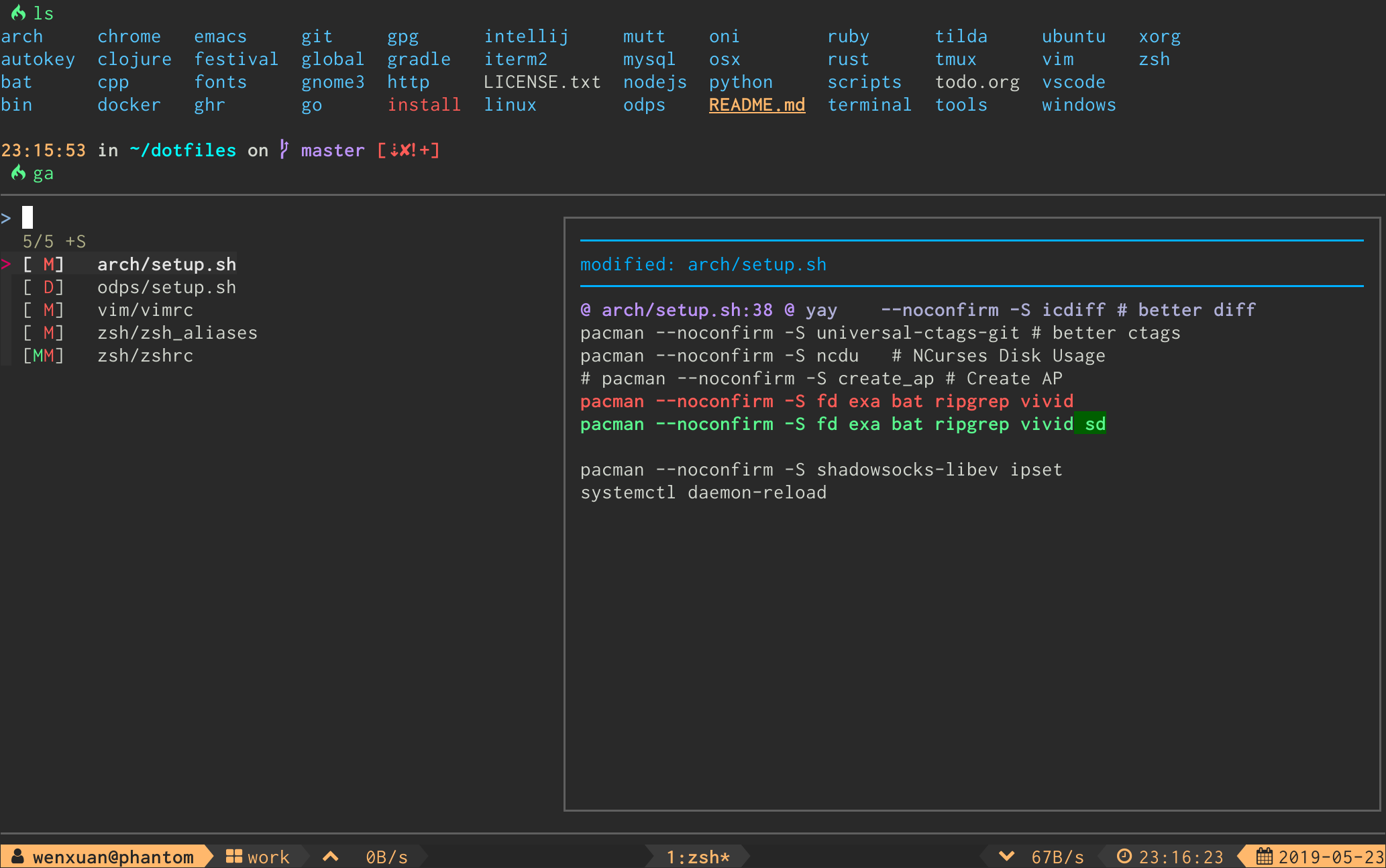
- Interactive
git addselector (ga)
- Interactive
git logviewer (glo)
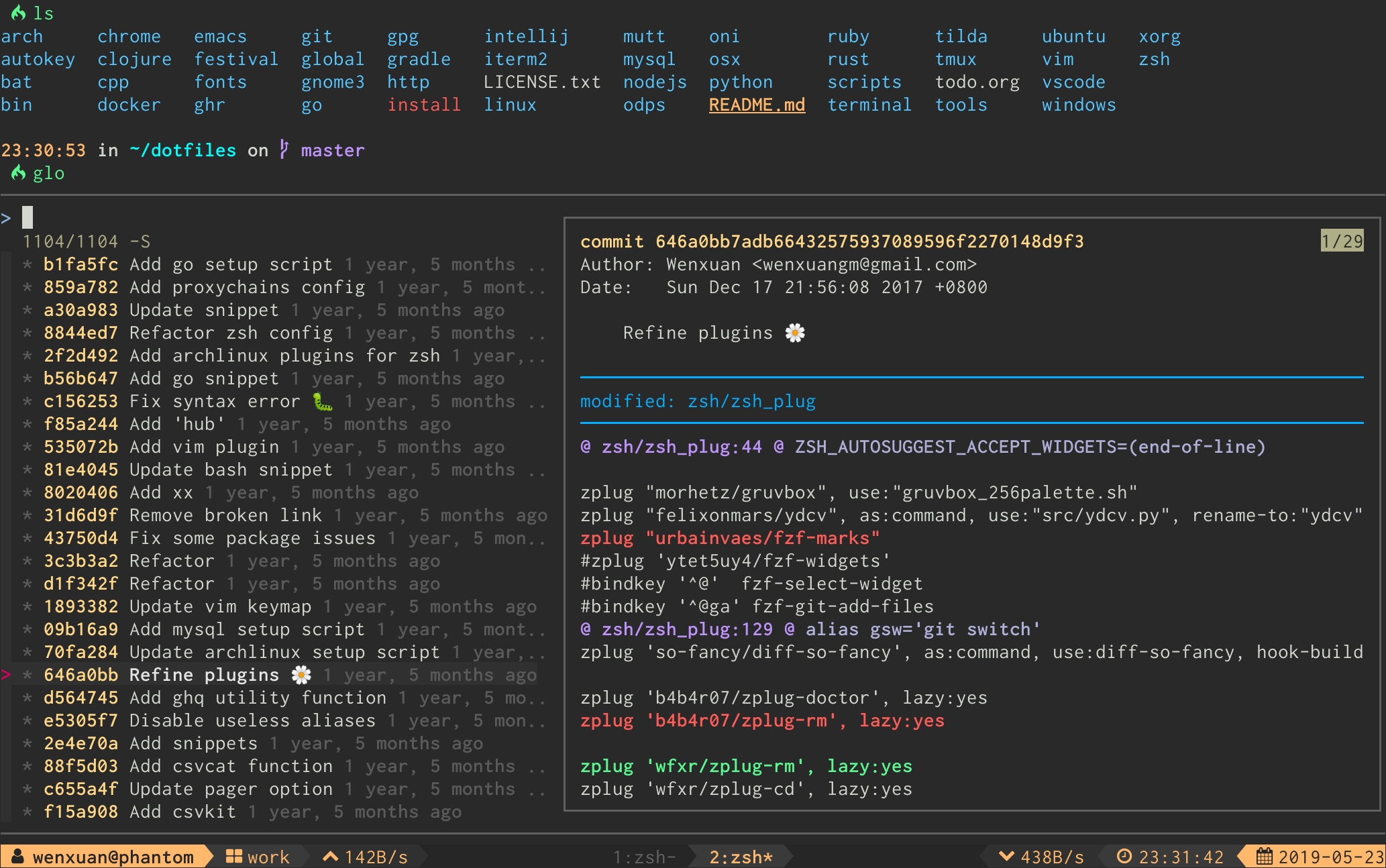
The log graph can be disabled by option FORGIT_LOG_GRAPH_ENABLE (see discuss in issue #71).
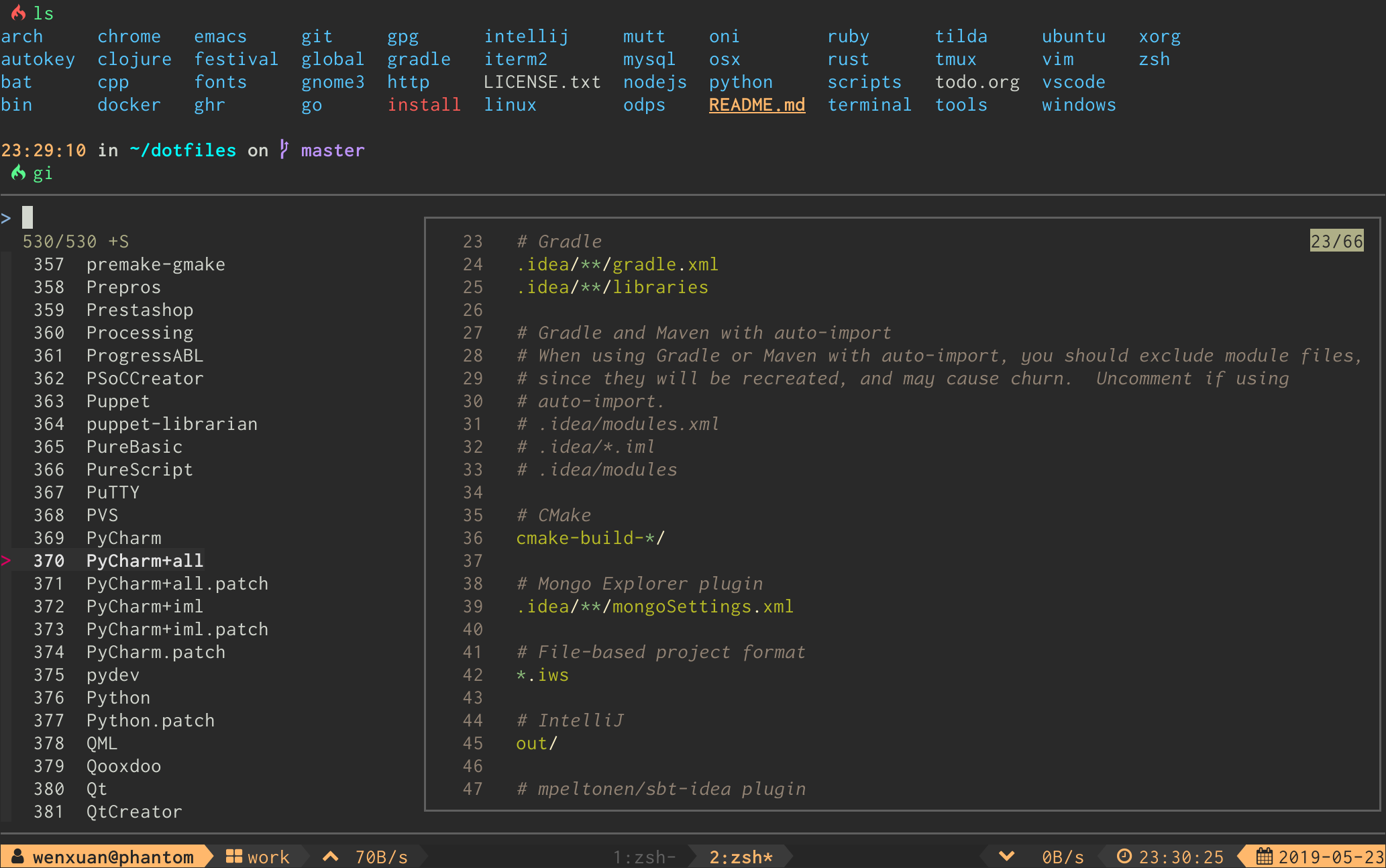
- Interactive
.gitignoregenerator (gi)
-
Interactive
git diffviewer (gd) -
Interactive
git reset HEAD <file>selector (grh) -
Interactive
git checkout <file>selector (gcf) -
Interactive
git stashviewer (gss) -
Interactive
git cleanselector (gclean)
⌨ Keybinds
| Key | Action |
|---|---|
| Enter | Confirm |
| Tab | Toggle mark and move up |
| Shift - Tab | Toggle mark and move down |
| ? | Toggle preview window |
| Alt - W | Toggle preview wrap |
| Ctrl - S | Toggle sort |
| Ctrl - R | Toggle selection |
| Ctrl - Y | Copy commit hash* |
| Ctrl - K / P | Selection move up |
| Ctrl - J / N | Selection move down |
| Alt - K / P | Preview move up |
| Alt - J / N | Preview move down |
* Available when the selection contains a commit hash.
For linux users FORGIT_COPY_CMD should be set to make copy work. Example: FORGIT_COPY_CMD='xclip -selection clipboard'.
⚙ Options
You can change the default aliases by defining these variables below.
(To disable all aliases, Set the FORGIT_NO_ALIASES flag.)
forgit_log=glo
forgit_diff=gd
forgit_add=ga
forgit_reset_head=grh
forgit_ignore=gi
forgit_restore=gcf
forgit_clean=gclean
forgit_stash_show=gss
You can add default fzf options for forgit, including keybinds, layout, etc.
(No need to repeat the options already defined in FZF_DEFAULT_OPTS)
FORGIT_FZF_DEFAULT_OPTS="
--exact
--border
--cycle
--reverse
--height '80%'
"
Customizing fzf options for each command individually is also supported:
| Command | Option |
|---|---|
ga |
FORGIT_ADD_FZF_OPTS |
glo |
FORGIT_LOG_FZF_OPTS |
gi |
FORGIT_IGNORE_FZF_OPTS |
gd |
FORGIT_DIFF_FZF_OPTS |
grh |
FORGIT_RESET_HEAD_FZF_OPTS |
gcf |
FORGIT_CHECKOUT_FZF_OPTS |
gss |
FORGIT_STASH_FZF_OPTS |
gclean |
FORGIT_CLEAN_FZF_OPTS |
Complete loading order of fzf options is:
FZF_DEFAULT_OPTS(fzf global)FORGIT_FZF_DEFAULT_OPTS(forgit global)FORGIT_CMD_FZF_OPTS(command specific)
Example
ctrl-dto drop the selected stash but do not quit fzf (gssspecific).
FORGIT_STASH_FZF_OPTS='
--bind="ctrl-d:reload(git stash drop $(cut -d: -f1 <<<{}) 1>/dev/null && git stash list)"
'
ctrl-eto view the logs in a vim buffer (glospecific).
FORGIT_LOG_FZF_OPTS='
--bind="ctrl-e:execute(echo {} |grep -Eo [a-f0-9]+ |head -1 |xargs git show |vim -)"
'
📦 Optional dependencies
-
diff-so-fancyordelta: Improve thegit diffoutput. -
bat: Syntax highlighting forgitignore. -
emoji-cli: Emoji support forgit log.
💡 Tips
- Hit
qto quit from full screen preview any time. - Commands like
glo,gd,gcfandgcleanaccept arguments to restrain the items listed in fzf(eg,glo develop,glo f738479..188a849b -- main.go,gclean output/etc.). gdsupports specifying revision(eg,gd HEAD~,gd v1.0 README.md).- Call
giwith arguments to get the wanted.gitignorecontents directly(eg,gi cmake c++).
📃 License
MIT (c) Wenxuan Zhang