 372239fd37
Before forgit became a standalone script, users defined their FORGIT variables (e.g. FORGIT_FZF_DEFAULT_OPTS) in the shell environment before sourcing the forgit shell plugin. This worked because the forgit code was executed within the currently running shell. With forgit being an executable script, these variables are only available to forgit when being exported. This patch adds an automatism for this so that users do not have to change their configuration. A warning is issued in this case so that users get notified to update their configuration. |
||
|---|---|---|
| .github | ||
| bin | ||
| conf.d | ||
| .gitignore | ||
| .pre-commit-config.yaml | ||
| forgit.plugin.sh | ||
| forgit.plugin.zsh | ||
| LICENSE | ||
| README.md | ||
💤 forgit
Utility tool for using git interactively. Powered by junegunn/fzf.






This tool is designed to help you use git more efficiently. It's lightweight and easy to use.
📥 Installation
Make sure you have fzf installed.
# for zplug
zplug 'wfxr/forgit'

# for zgen
zgen load 'wfxr/forgit'

# for antigen
antigen bundle 'wfxr/forgit'

# for fisher
fisher install wfxr/forgit

# for omf
omf install https://github.com/wfxr/forgit

# for zinit
zinit load wfxr/forgit

# manually
# Clone the repository and source it in your shell's rc file.
You can run the following command to try forgit without installing:
# for bash / zsh
source <(curl -sSL git.io/forgit)
# for fish
source (curl -sSL git.io/forgit-fish | psub)
Fig
Fig adds apps, shortcuts, and autocomplete to your existing terminal.
Install forgit in just one click.

📝 Features
- Interactive
git addselector (ga)
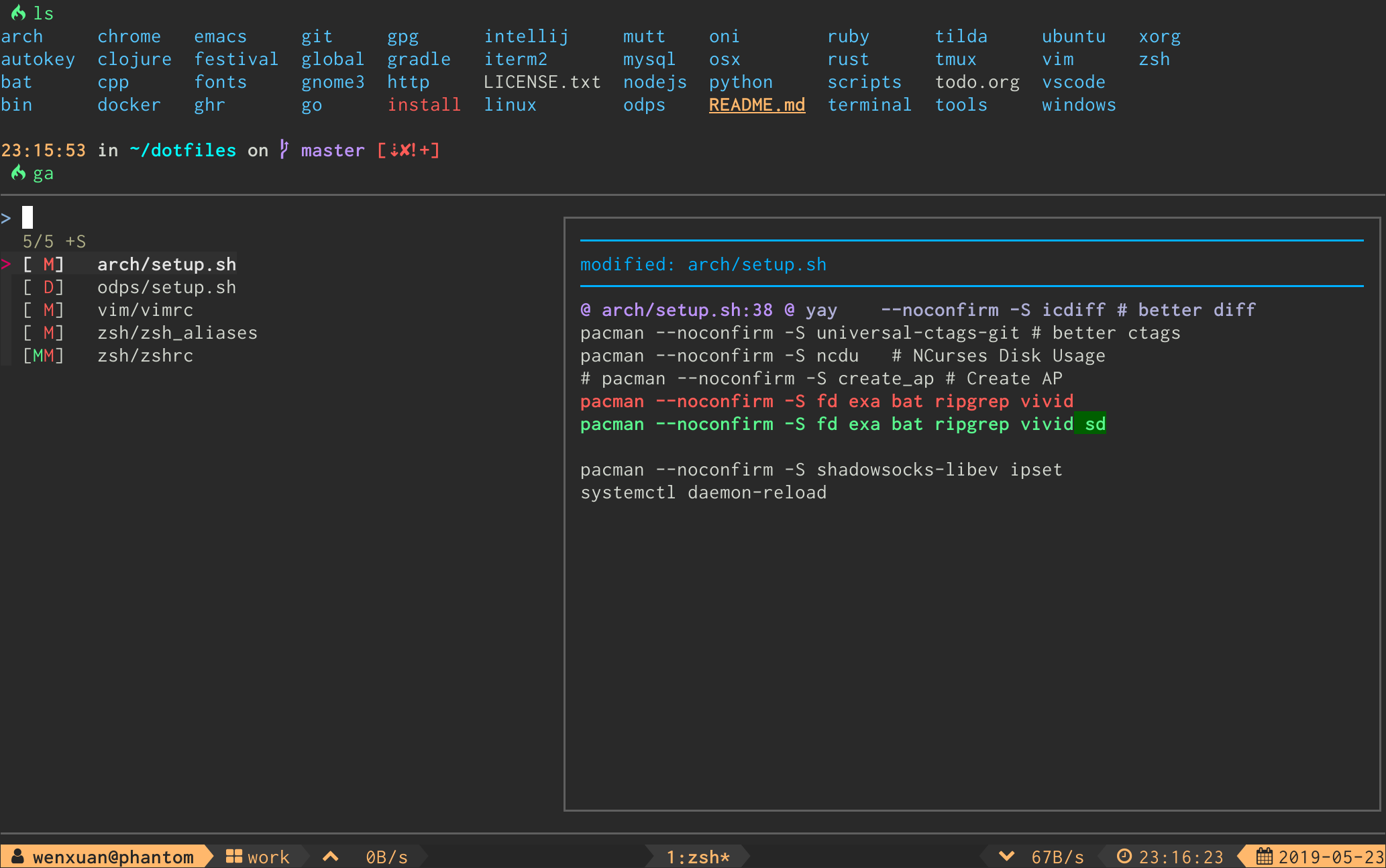
- Interactive
git logviewer (glo)
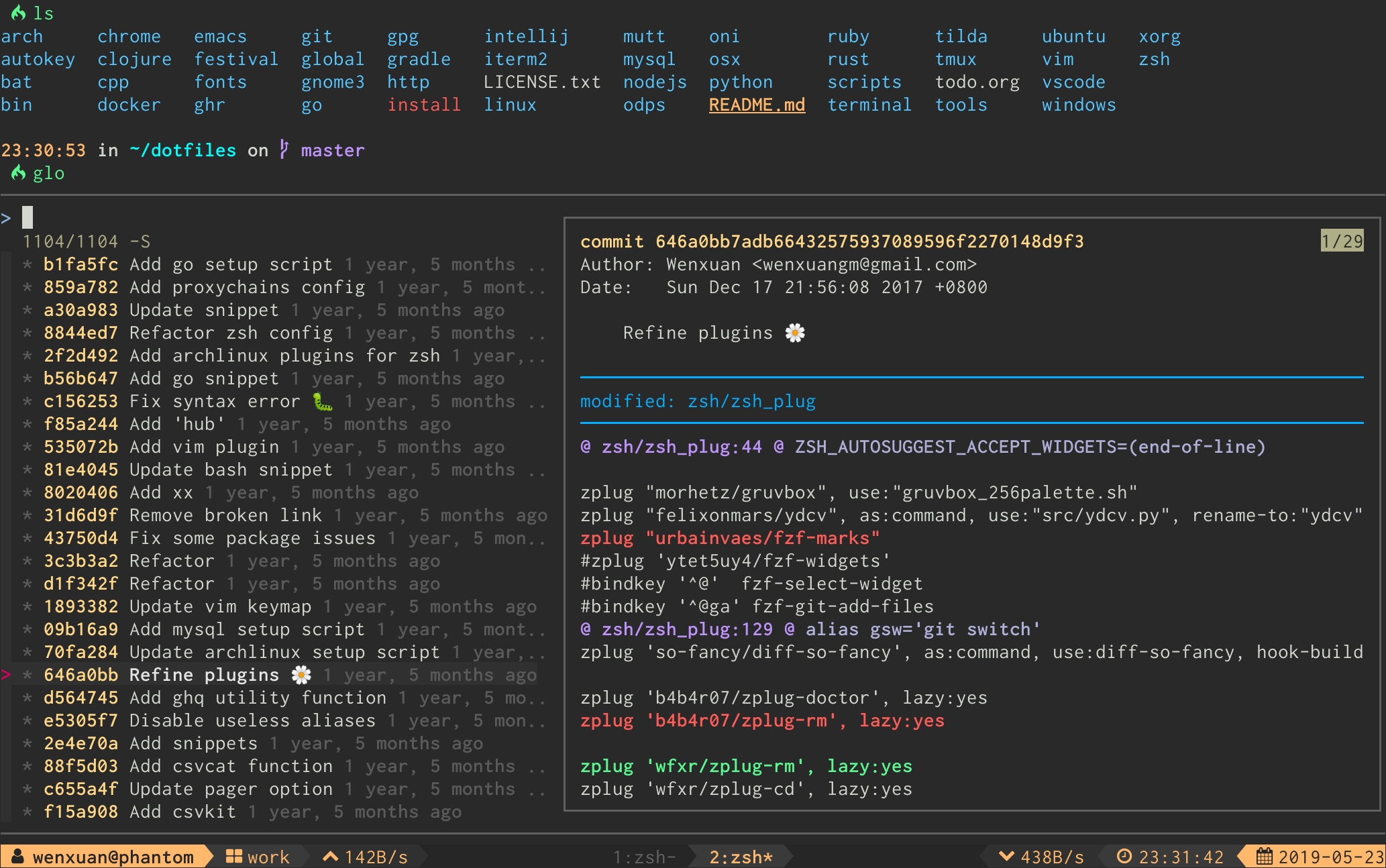
The log graph can be disabled by option FORGIT_LOG_GRAPH_ENABLE (see discuss in issue #71).
- Interactive
.gitignoregenerator (gi)
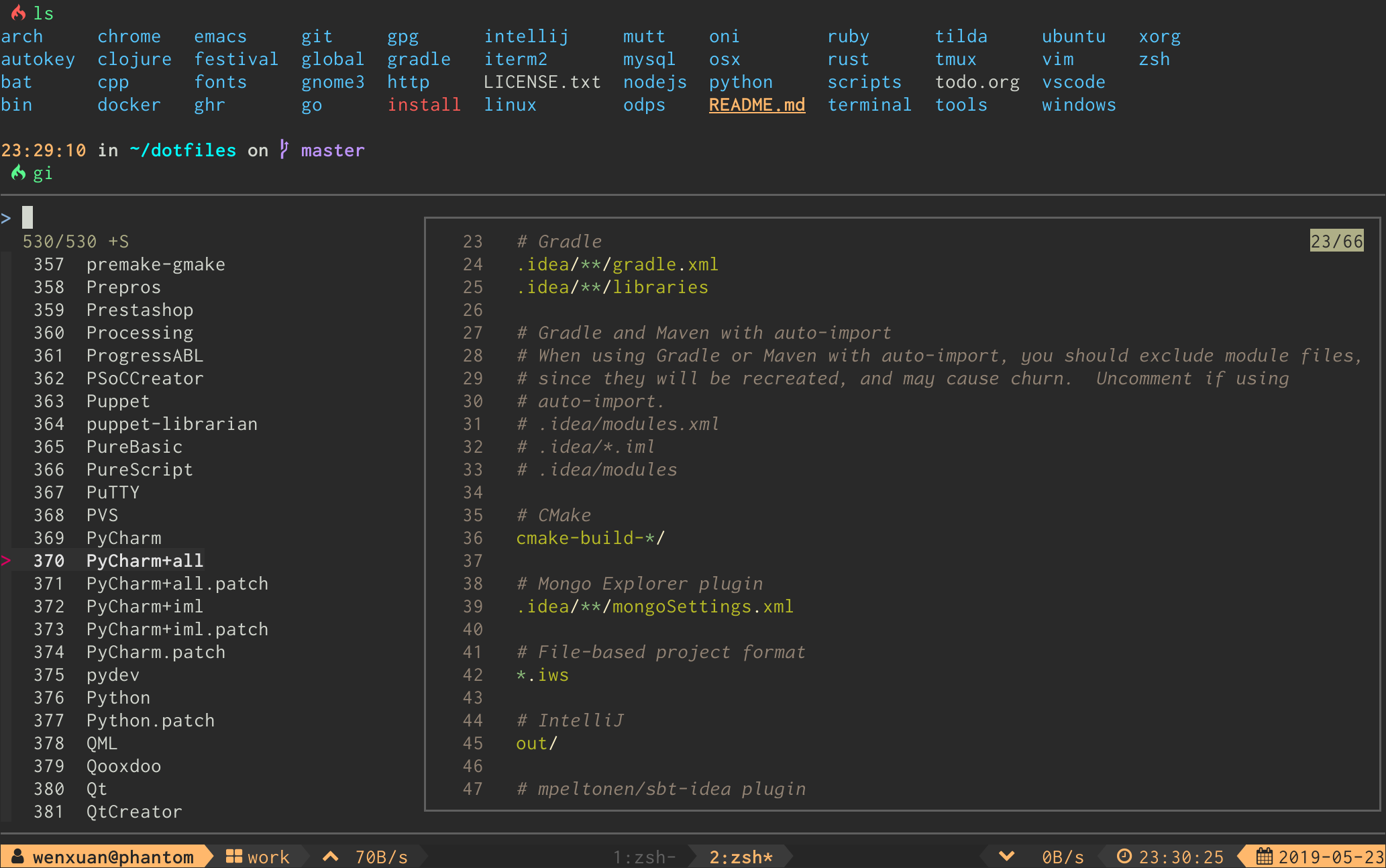
-
Interactive
git diffviewer (gd) -
Interactive
git reset HEAD <file>selector (grh) -
Interactive
git checkout <file>selector (gcf) -
Interactive
git checkout <branch>selector (gcb) -
Interactive
git branch -D <branch>selector (gbd) -
Interactive
git checkout <tag>selector (gct) -
Interactive
git checkout <commit>selector (gco) -
Interactive
git revert <commit>selector (grc) -
Interactive
git stashviewer (gss) -
Interactive
git cleanselector (gclean) -
Interactive
git cherry-pickselector (gcp) -
Interactive
git rebase -iselector (grb) -
Interactive
git blameselector (gbl) -
Interactive
git commit --fixup && git rebase -i --autosquashselector (gfu)
⌨ Keybinds
| Key | Action |
|---|---|
| Enter | Confirm |
| Tab | Toggle mark and move up |
| Shift - Tab | Toggle mark and move down |
| ? | Toggle preview window |
| Alt - W | Toggle preview wrap |
| Ctrl - S | Toggle sort |
| Ctrl - R | Toggle selection |
| Ctrl - Y | Copy commit hash* |
| Ctrl - K / P | Selection move up |
| Ctrl - J / N | Selection move down |
| Alt - K / P | Preview move up |
| Alt - J / N | Preview move down |
* Available when the selection contains a commit hash.
For linux users FORGIT_COPY_CMD should be set to make copy work. Example: FORGIT_COPY_CMD='xclip -selection clipboard'.
⚙ Options
aliases
shell
You can change the default aliases by defining these variables below.
(To disable all aliases, Set the FORGIT_NO_ALIASES flag.)
forgit_log=glo
forgit_diff=gd
forgit_add=ga
forgit_reset_head=grh
forgit_ignore=gi
forgit_checkout_file=gcf
forgit_checkout_branch=gcb
forgit_branch_delete=gbd
forgit_checkout_tag=gct
forgit_checkout_commit=gco
forgit_revert_commit=grc
forgit_clean=gclean
forgit_stash_show=gss
forgit_cherry_pick=gcp
forgit_rebase=grb
forgit_blame=gbl
forgit_fixup=gfu
git
You can use git aliases by making git-forgit available in $PATH:
# after `forgit` was loaded
export PATH="$PATH:$FORGIT_INSTALL_DIR/bin"
Some plugin managers can help do this.
Then any forgit command will be a subcommand of git:
$ git forgit log
$ git forgit add
$ git forgit diff
Optionally you can add aliases in git:
git config --global alias.cf 'forgit checkout_file'
And use the alias in git:
git cf
pagers
Forgit will use the default configured pager from git (core.pager,
pager.show, pager.diff) but can be altered with the following environment
variables:
| Use case | Option | Fallbacks to |
|---|---|---|
| common pager | FORGIT_PAGER |
git config core.pager or cat |
pager on git show |
FORGIT_SHOW_PAGER |
git config pager.show or $FORGIT_PAGER |
pager on git diff |
FORGIT_DIFF_PAGER |
git config pager.diff or $FORGIT_PAGER |
pager on git blame |
FORGIT_BLAME_PAGER |
git config pager.blame or $FORGIT_PAGER |
pager on gitignore |
FORGIT_IGNORE_PAGER |
bat -l gitignore --color always or cat |
| git log format | FORGIT_GLO_FORMAT |
%C(auto)%h%d %s %C(black)%C(bold)%cr%reset |
fzf options
You can add default fzf options for forgit, including keybinds, layout, etc.
(No need to repeat the options already defined in FZF_DEFAULT_OPTS)
FORGIT_FZF_DEFAULT_OPTS="
--exact
--border
--cycle
--reverse
--height '80%'
"
Customizing fzf options for each command individually is also supported:
| Command | Option |
|---|---|
ga |
FORGIT_ADD_FZF_OPTS |
glo |
FORGIT_LOG_FZF_OPTS |
gi |
FORGIT_IGNORE_FZF_OPTS |
gd |
FORGIT_DIFF_FZF_OPTS |
grh |
FORGIT_RESET_HEAD_FZF_OPTS |
gcf |
FORGIT_CHECKOUT_FILE_FZF_OPTS |
gcb |
FORGIT_CHECKOUT_BRANCH_FZF_OPTS |
gbd |
FORGIT_BRANCH_DELETE_FZF_OPTS |
gct |
FORGIT_CHECKOUT_TAG_FZF_OPTS |
gco |
FORGIT_CHECKOUT_COMMIT_FZF_OPTS |
grc |
FORGIT_REVERT_COMMIT_OPTS |
gss |
FORGIT_STASH_FZF_OPTS |
gclean |
FORGIT_CLEAN_FZF_OPTS |
grb |
FORGIT_REBASE_FZF_OPTS |
gbl |
FORGIT_BLAME_FZF_OPTS |
gfu |
FORGIT_FIXUP_FZF_OPTS |
gcp |
FORGIT_CHERRY_PICK_FZF_OPTS |
Complete loading order of fzf options is:
FZF_DEFAULT_OPTS(fzf global)FORGIT_FZF_DEFAULT_OPTS(forgit global)FORGIT_CMD_FZF_OPTS(command specific)
Examples:
ctrl-dto drop the selected stash but do not quit fzf (gssspecific).
FORGIT_STASH_FZF_OPTS='
--bind="ctrl-d:reload(git stash drop $(cut -d: -f1 <<<{}) 1>/dev/null && git stash list)"
'
ctrl-eto view the logs in a vim buffer (glospecific).
FORGIT_LOG_FZF_OPTS='
--bind="ctrl-e:execute(echo {} |grep -Eo [a-f0-9]+ |head -1 |xargs git show |vim -)"
'
other options
| Option | Description | Default |
|---|---|---|
FORGIT_LOG_FORMAT |
git log format | %C(auto)%h%d %s %C(black)%C(bold)%cr%Creset |
FORGIT_PREVIEW_CONTEXT |
lines of diff context in preview mode | 3 |
FORGIT_FULLSCREEN_CONTEXT |
lines of diff context in fullscreen mode | 10 |
📦 Optional dependencies
-
delta/diff-so-fancy: For better human readable diffs. -
bat: Syntax highlighting forgitignore. -
emoji-cli: Emoji support forgit log.
💡 Tips
- Most of the commands accept optional arguments (eg,
glo develop,glo f738479..188a849b -- main.go,gco master). gdsupports specifying revision(eg,gd HEAD~,gd v1.0 README.md).- Call
giwith arguments to get the wanted.gitignorecontents directly(eg,gi cmake c++). - You can use the commands as sub-commands of
git, see #147 for details.
📃 License
MIT (c) Wenxuan Zhang